How to create a report
-
Pick My reports in your menu bar.

-
Click the Create new report button.

-
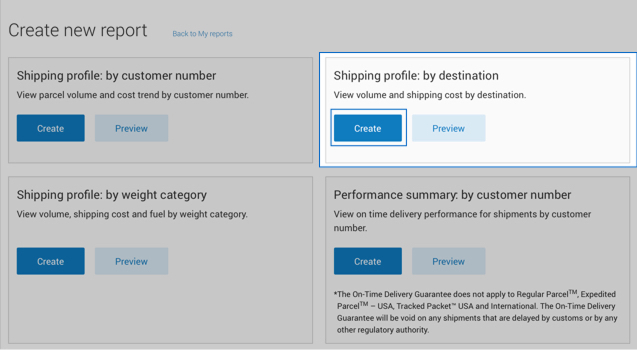
Choose the report you want to generate from the display and click on its Create button.
For example:
Preview behaviour
Clicking the Preview button lets you see the report before you create it. Information contained in the sample is NOT valid.
Once a report is generated, you can:
- Download it
- Add it to your favourites (up to 5 are allowed)
- Edit it
- Schedule, email and save as a template
Report behaviour
- Your report can access information as far back as 2 years. But you can't get information dated before you set up Intelligence 360.
- For best results, use Chrome as your browser when working in Intelligence 360.
- You can schedule a report to run on a recurring time frame or generate a report immediately.
Need help creating different types of reports?
Find step-by-step instructions and helpful tips for:
How to create a shipping profile: by customer number
How to create a shipping profile: by destination
How to create a shipping profile: by weight category
How to create a performance summary: by customer number
How to create a performance summary: by destination
How to create a performance summary: by delivery standard